

Exporting from the Profiles page
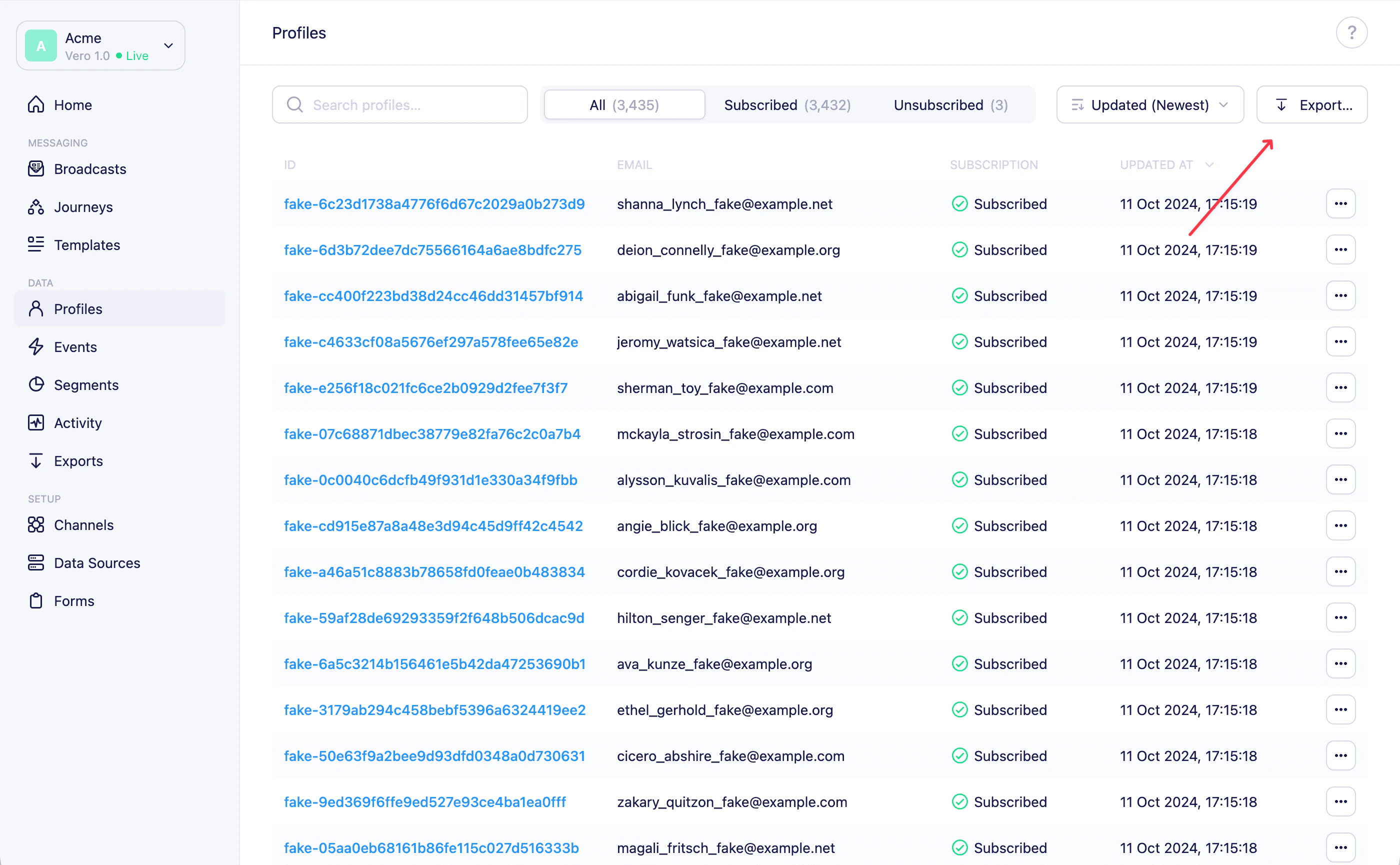
- Navigate to Profiles from the main sidebar.
- Click the Export button in the top-right corner of the page.
- In the modal that appears, select the type of export:
- Subscribed Customers — all profiles that are currently subscribed
- Unsubscribed Customers — all profiles that have unsubscribed
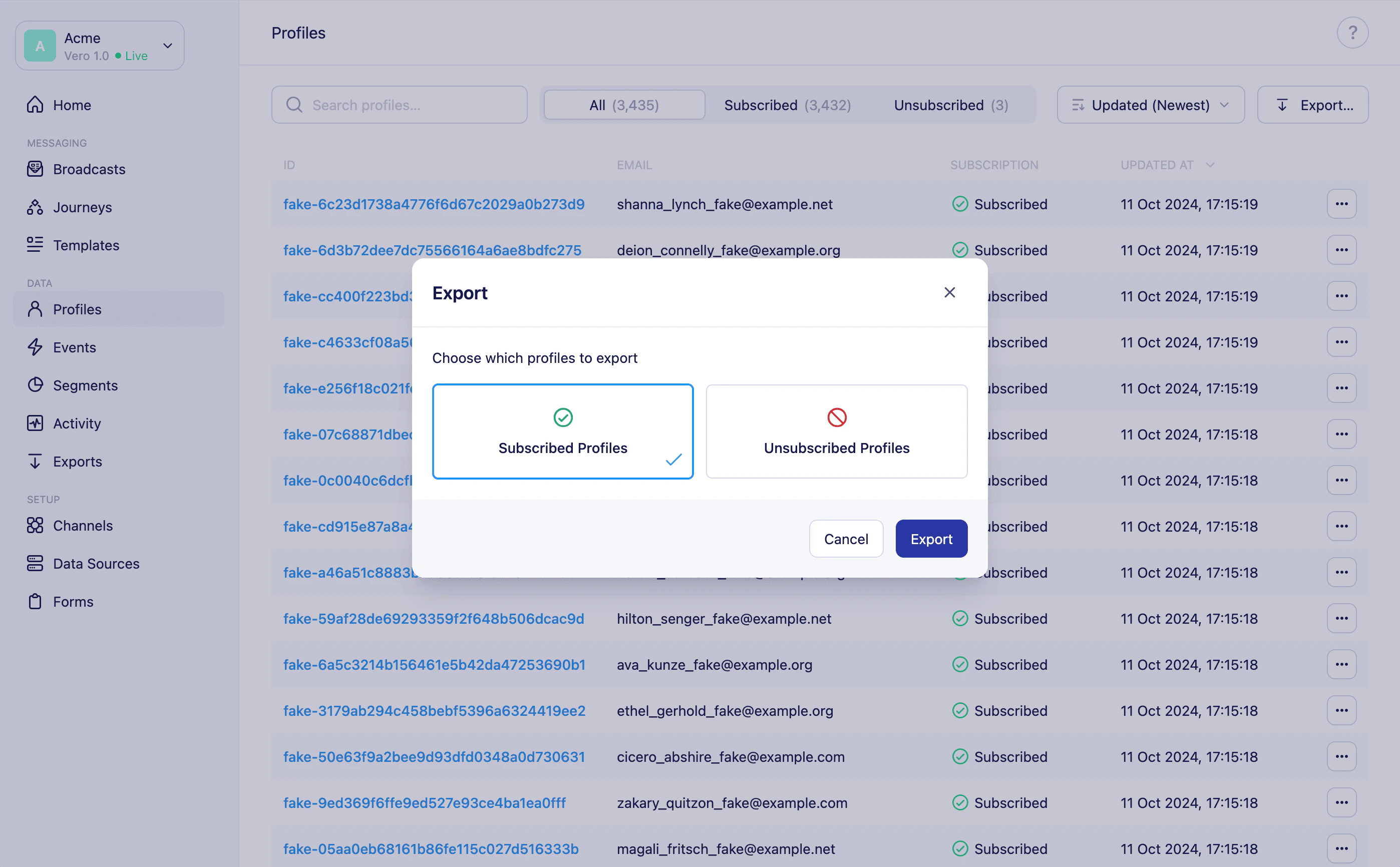
- Click Export to confirm.
Exporting from a segment
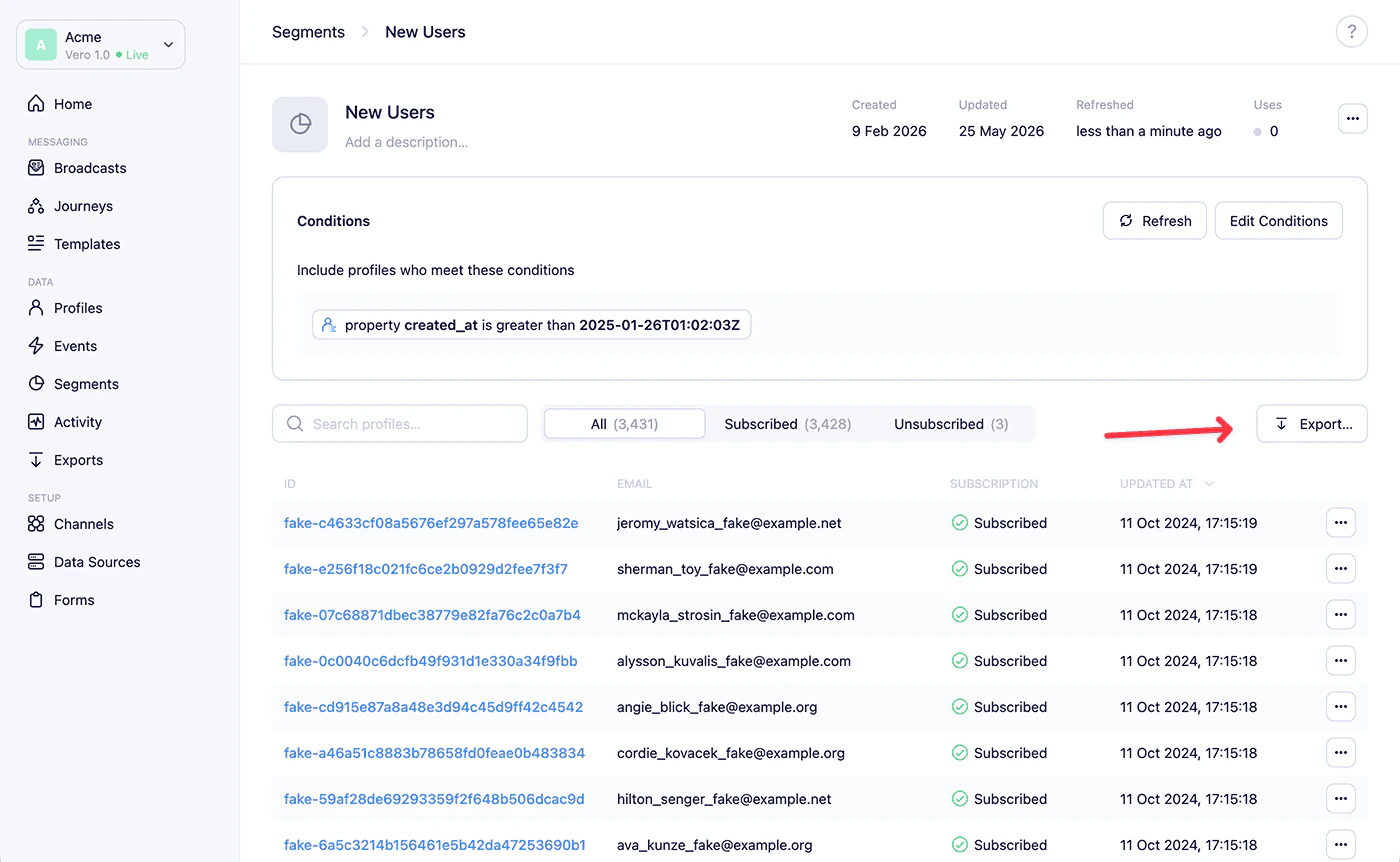
You can export the profiles within a specific segment in the same way.- Navigate to Segments from the main sidebar and open the segment you want to export.
- Click the Export… button in the top-right corner of the segment page.
- In the modal that appears, select the type of export:
- Subscribed Profiles — subscribed customers who are in this segment
- Unsubscribed Profiles — unsubscribed customers who are in this segment
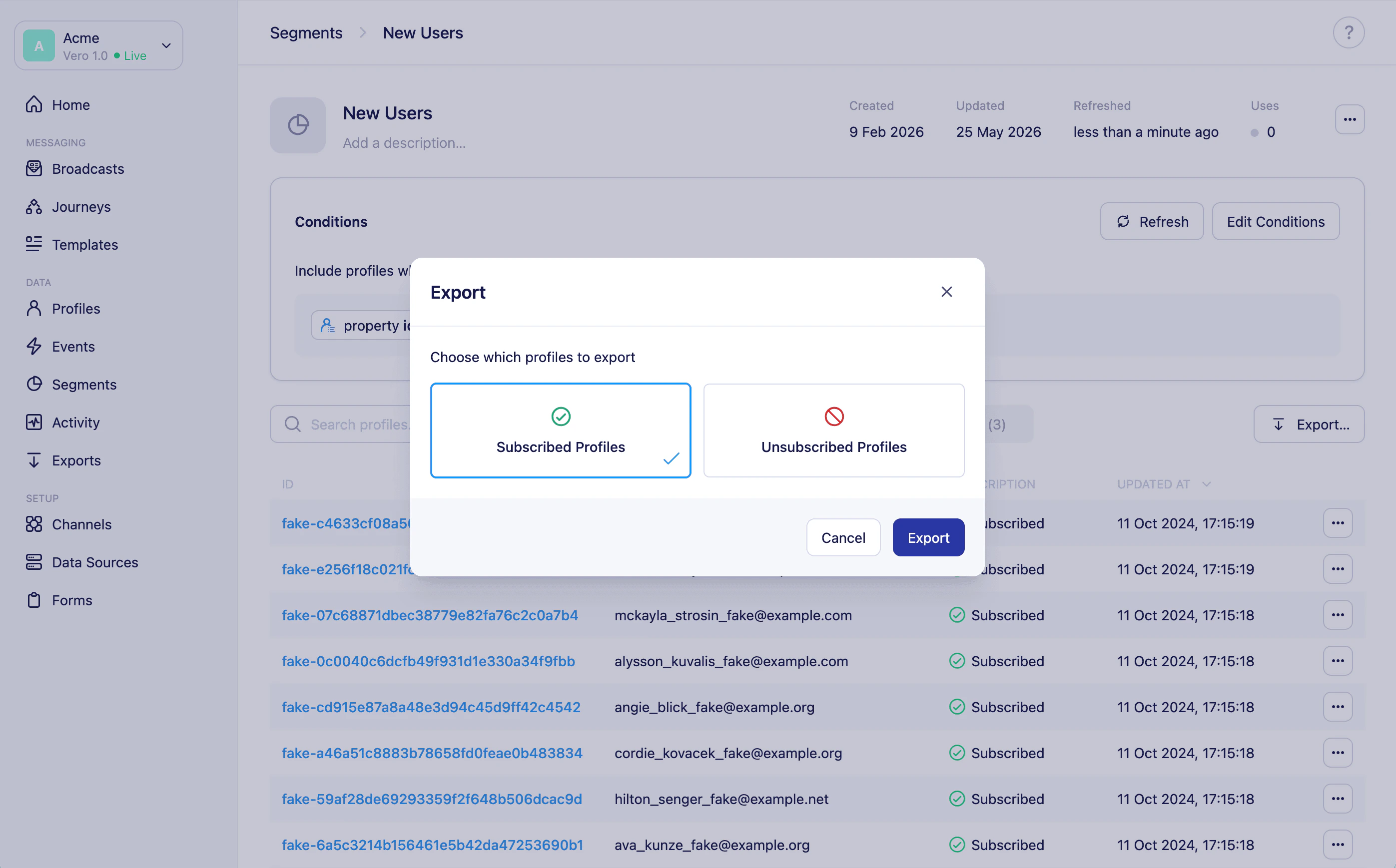
- Click Export to confirm.